
On this page
When the fitness room is the quietest room in the building
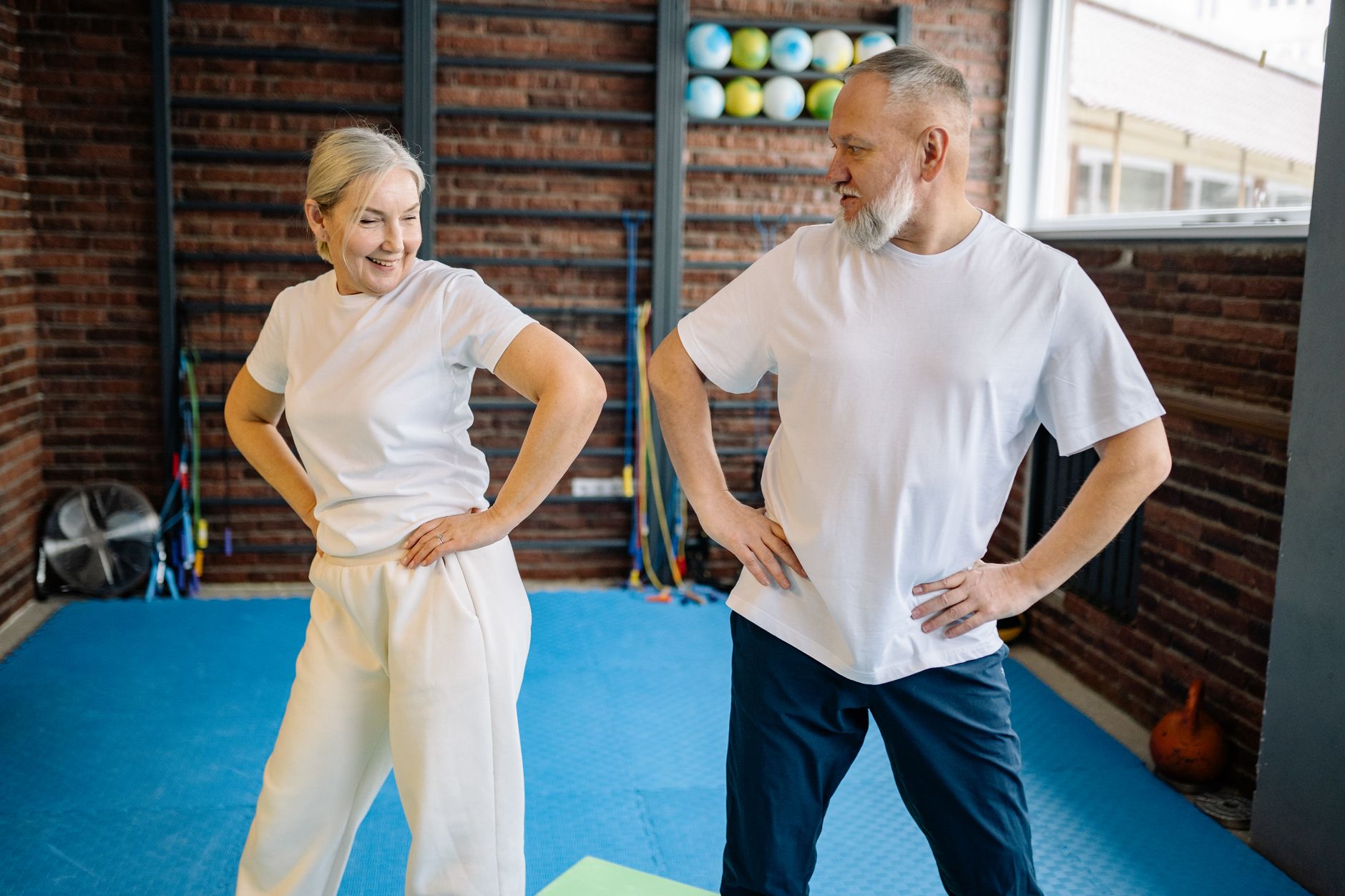
Most communities have one. A bright room with a recumbent bike, a seated stepper, a treadmill with handrails, some resistance bands and a rack of light weights, and on most afternoons nobody in it. A senior living fitness room TV will not fix that on its own, but it changes how the room feels. A screen showing something residents already like turns a clinical-looking space into a room where something is happening: a reason to wander in, pedal through one more segment, or come back at the same time tomorrow.
Whether a screen helps or gets ignored usually comes down to three decisions: where it hangs, whether residents can follow it without straining, and what is on it. Each one is simple to get right and easy to get wrong.
Place the screen for seated exercisers first
Commercial gyms are planned around runners on treadmills. A senior community's fitness room is different. Many residents are seated on a recumbent bike or stepper, some are in a chair for a group class, and some are standing with a walker nearby. That changes the eye line, and it is the most common mistake we see: a screen mounted high on the wall, the way it would be in a bar, so residents have to tilt their heads back while they exercise.
Start with these placement rules:
- Mount for the seated eye line. Lower than you would in a sports bar or a hotel gym, so a resident on a bike can watch while looking straight ahead or slightly up, not craning.
- Face the busiest equipment. Stand behind the machines residents actually use and check the view from each seat before anything is drilled.
- Keep walkways clear. The screen should never be the thing someone stops to look at in the middle of a path. Run cables inside the wall or in a raceway so nothing crosses the floor.
- Fight glare early. Fitness rooms tend to have big windows. Angle the screen away from them or plan shades; our notes on reducing TV glare in a business cover the geometry.
- Two modest screens can beat one large one. In a long room, a second screen at the other end often serves more residents than one oversized display everyone has to turn toward.
| Where residents are | Typical position | Placement tip |
|---|---|---|
| Recumbent bike or seated stepper | Seated, leaning back | Mount low and directly ahead; check the view from the seat itself |
| Treadmill with handrails | Standing, holding on | Keep the screen in front so residents are not turning their heads while walking |
| Chair exercise class | Seated in rows or a semicircle | Place the screen where the instructor can stand beside it, not in front of it |
| Weights and stretching area | Standing or on a mat | A secondary screen or a clear sight line to the main one is enough |
If your community also runs a rehab gym, the planning overlaps with a physical therapy clinic TV setup, where the screen has to support exercise without pulling attention from the therapist.
Captions and sound: easy to follow without straining
Fitness rooms are noisy in ways that are easy to forget: a treadmill belt, a ceiling fan, a stepper clicking, two residents chatting. Add a range of hearing ability and a TV with sound alone becomes frustrating fast. Residents turn it up, someone else turns it down, and the remote becomes a point of friction.
The fix is to treat the screen as something people read as much as hear:
- Turn closed captions on by default and leave them on.
- Choose a caption style that is large and high-contrast, if the set offers the option.
- Keep the volume low enough that conversation still works, or off entirely during busy hours.
- Mute the TV during instructor-led classes so the instructor's voice and music lead.
Programming residents recognize
Familiar beats novel in a fitness room. Residents are already concentrating on balance, breathing and pace; the screen should be something they can drop in and out of without losing the thread. Good fits include:
- Morning news and weather, which many residents already follow. If your community has a news gathering spot, our piece on the senior living morning news lounge shows how a predictable daily routine can form around it.
- Classic films and long-running series, especially ones residents grew up with.
- Nature, travel and scenic programming, which works well with captions or no sound at all.
- Music channels for stretching and light weights, kept at a low volume.
- Live sports when there is a game residents care about. A walk-while-you-watch session on game day can bring in residents who never use the room otherwise.
What to avoid is just as important: fast-cut, loud programming, all-day breaking news loops that can make the room feel tense, and anything with graphic content. For memory care neighborhoods, the bar for calm and familiar is higher still; see our guidance on memory care TV programming.
A simple schedule by time of day keeps the screen from becoming a channel-flipping contest:
| Time of day | Who tends to be in the room | Programming that fits |
|---|---|---|
| Early morning | Regulars and early risers | Captioned news and weather |
| Mid-morning | Group classes | TV muted or used for the class |
| Afternoon | Drop-ins and walkers | Classic films, nature and travel |
| Game days | Sports fans | The game, captioned, as a planned activity |
The most reliable way to choose programming is to ask. A few minutes at a residents' council meeting, or a short sign-up sheet in the fitness room, will tell you more than any general rule. People are more likely to show up for a screen they had a say in.
Keep the controls simple for staff and residents
A fitness room screen that confuses people gets turned off and left off. Keep the controls boring on purpose:
- One remote, clearly labeled, with a home where it lives.
- A short list of favorite channels that match your schedule, so residents can pick from a few good options.
- The TV locked to the correct input where the set allows it, so nobody ends up on a blank screen.
- One staff role responsible for the room's screen, whether that is activities, wellness or maintenance.
Most day-to-day problems are small: a dead remote battery, a wrong input, a muted receiver. Our list of what caregivers can fix first helps staff solve those in minutes instead of filing a ticket.
Plan the fitness room as part of the whole community
The fitness room is one screen among many: resident rooms, lounges, the dining room, the lobby, perhaps a chapel or theater. Planning them together means consistent captions and controls, programming that suits each room's purpose, and one plan to manage instead of a patchwork. A coordinated senior living TV service can cover resident rooms, common areas and activity spaces under one commercial arrangement.
Sports Direct | DLM Media is an authorized commercial dealer with 30+ years of experience and technicians and engineers in all 50 states, so a single community or a multi-site operator gets one point of contact for programming, equipment, installation and support. If you are rethinking your fitness room or the screens around it, talk with a programming specialist about what would suit your residents and your building.