
On this page
The screen in your best vignette is already doing a job
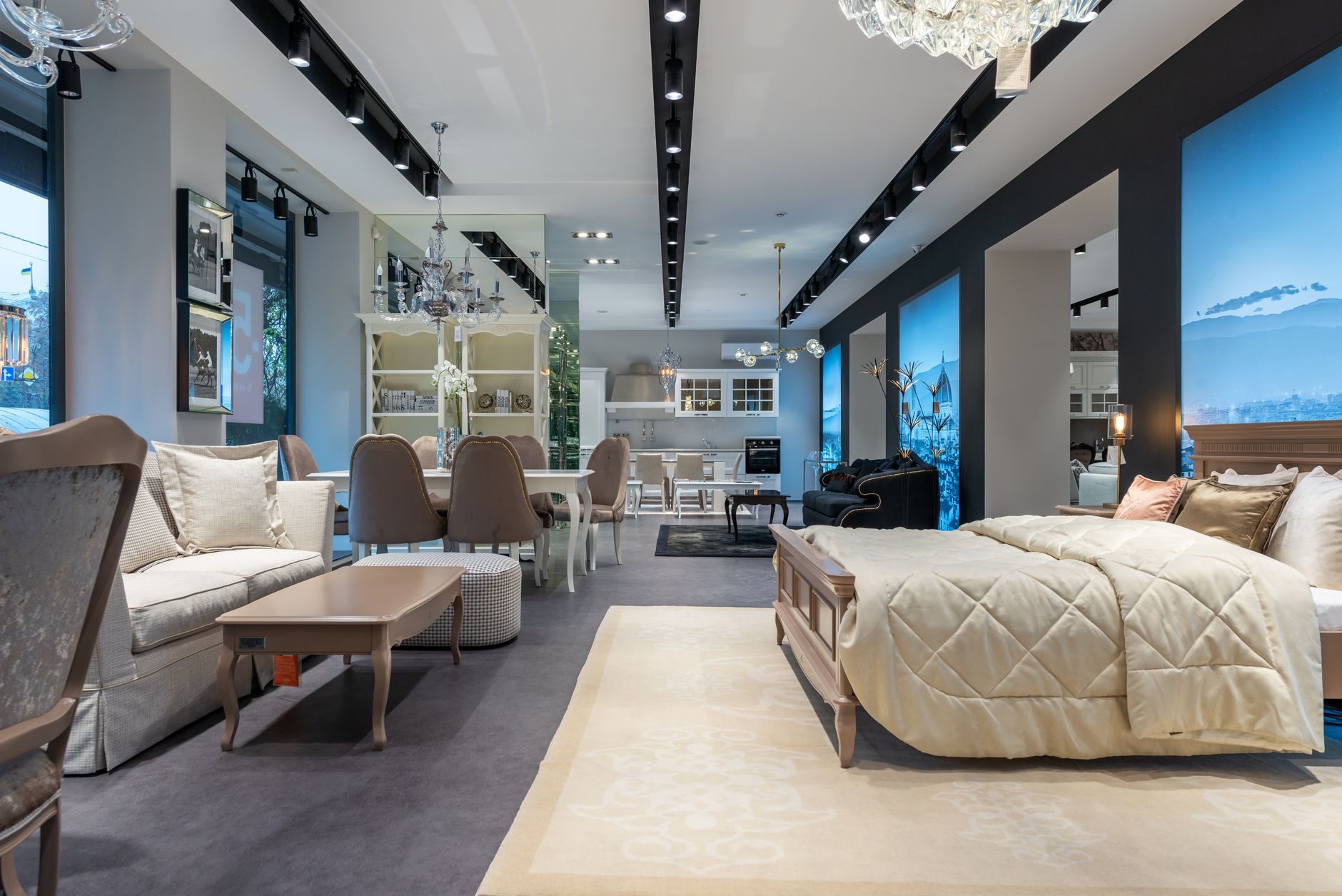
Walk your floor on a Saturday afternoon and look at the TVs. Most furniture and mattress showrooms hang a screen in a few living room and bedroom settings, because that is where shoppers expect one. The real question is what that screen does while it hangs there. A black panel, a printed insert or a looping demo reminds shoppers they are standing in a store. A furniture store display TV running live programming makes the setting feel like a room someone actually uses.
That difference matters more than it seems. Someone shopping for a sectional or a bed is trying to picture an ordinary evening with it: where they will sit, what they will look at and whether the angle works. Live television hands them that evening on the spot.
What live programming does that a dummy screen can't
A dark or fake screen asks the shopper to imagine everything. A live picture only asks them to imagine their own walls. In practice, that shows up in a few ways:
- It tests the layout. A shopper sinks into the corner seat of a sectional and knows right away whether the screen is comfortable to watch from there. The same goes for a recliner angled toward a media wall, or a bed facing a dresser.
- It helps people judge distance and scale. Watching a real picture from a real seat helps someone decide whether the sofa and console would sit too close together or too far apart in their own space.
- It finishes the vignette. Your merchandisers put real time into lamps, rugs, throws and art. A blank screen is often the one dead spot in an otherwise convincing room.
- It invites people to sit. People sit down to watch something. Once they are sitting, they are testing the cushion, the depth and the recline, which is exactly what you want.
None of this replaces a good salesperson. It gives that salesperson a more convincing room to work in.
Companions are half the visit
Furniture and mattresses are rarely solo purchases. Couples shop together, parents bring adult children, a friend comes along to give an opinion or drive the truck. Usually one person is deciding and the other is waiting. Once the waiting person starts checking the time, the visit tends to wind down, sometimes before the decision is made.
Picture a mattress gallery on a weekend afternoon. One partner is working through firmness levels with an associate, lying down on a third and fourth model. The other partner has already given an opinion and is drifting toward the door. Put a live game or something easygoing on a recliner vignette within sight of the gallery, and that person has a comfortable seat and no reason to cut the visit short. The decider gets the time to try one more bed.
The same idea works near fitting rooms in apparel stores, which we cover in keeping shopping partners happy in a fitting room waiting area.
There are trade-offs to manage:
- Placement. The companion screen should be close enough that the two shoppers can still see each other, but not in the middle of the decision area, where it competes with the sales conversation.
- Crowds. A close game can pull in other shoppers. Choose a vignette with room around it so a small crowd does not block an aisle or a pathway to the registers.
- Volume. Even a great game should not be audible across the mattress gallery.
Matching programming to each vignette
Not every room on your floor wants the same thing on screen. Think about the evening the vignette is selling and choose programming that fits it.
| Setting | What to show | Sound |
|---|---|---|
| Casual living room sectional | Live sports or relaxed general entertainment | Low, or muted with captions |
| Formal living room | Nature, travel or design programming | Muted |
| Bedroom sets and mattress gallery | Calm, slow-paced programming | Muted with captions |
| Recliner and media seating | Live sports or movies | Moderate, if the area is set back from sales desks |
| Kids' and teen rooms | All-ages programming | Muted |
| Entrance and checkout | Store promotions or a calm channel | Muted |
A few habits help across the whole floor:
- Keep breaking news out of the vignettes. A tense headline can change the mood of a room that is supposed to feel restful.
- Favor visual content. Most shoppers glance at a vignette screen rather than watch it, so programming that reads well without sound works best.
- Leave captions on wherever sound is off, so the companion screen still works for the person sitting there.
For a broader look at programming by store zone, see what to play on store TVs. If your team is debating volume and who controls the remote, the retail store TV questions page covers those details.
Planning around a floor that keeps moving
Furniture showrooms change constantly. Sets sell off the floor, new collections arrive, and a vignette that faced the entrance last month might be in the back corner this month. Your TV plan has to survive that.
- Keep equipment out of merchandise. It is tempting to tuck a receiver inside a media console on display, until that console sells and leaves on a truck. Keep receivers in a back room, a utility closet or a fixed wall location instead.
- Plan cable routes for moves. Talk through where screens are likely to go over the next year, not just where they are today, so a reset does not mean a rewire.
- Decide which screens tune independently. A screen that shows the same channel as its neighbors can be handled differently from one that needs its own game. That choice affects equipment, so make it early.
- Name an owner. Someone on each shift should know the default lineup for opening, which screen goes to a game on weekends and when to switch it back.
- Use a commercial account. Consumer service is set up for private viewing, not for screens a business shows to the public. Exactly what your floor needs depends on how the screens are used, so confirm the details with a specialist.
If you run several showrooms, consistency becomes its own goal. Shoppers who visit two of your locations should see the same kind of rooms, and your managers should not each be solving the TV question alone. Having one point of contact across every location keeps the lineup, equipment and support in step.
A sensible next step
Before you call anyone, walk the floor with a notepad. List every vignette with a screen, mark the ones you would want live, note where companions tend to sit and wait, and find the nearest spot where equipment could live without moving every time the floor does. Our business TV audit checklist gives you a simple structure for that walk.
With that list in hand, a programming specialist can help you match programming to each setting and plan equipment around your resets. Sports Direct | DLM Media is an authorized commercial dealer with 30+ years of experience and technicians and engineers in all 50 states. You can read more about our commercial TV for retail stores and the programming, equipment and installation services we coordinate, or simply start a conversation with our team when you are ready.