
On this page
Who this is for and what you will be able to decide
This is for facilities managers, workplace experience teams and IT leads planning a corporate cafeteria TV setup for a large employee dining space. That might be a new building, a renovation, or a room where the current screens play to nobody. By the end you should be able to make four decisions: where the screens go, how people will follow them without sound, what plays at each part of the day, and what to require from whoever supplies the programming and installation.
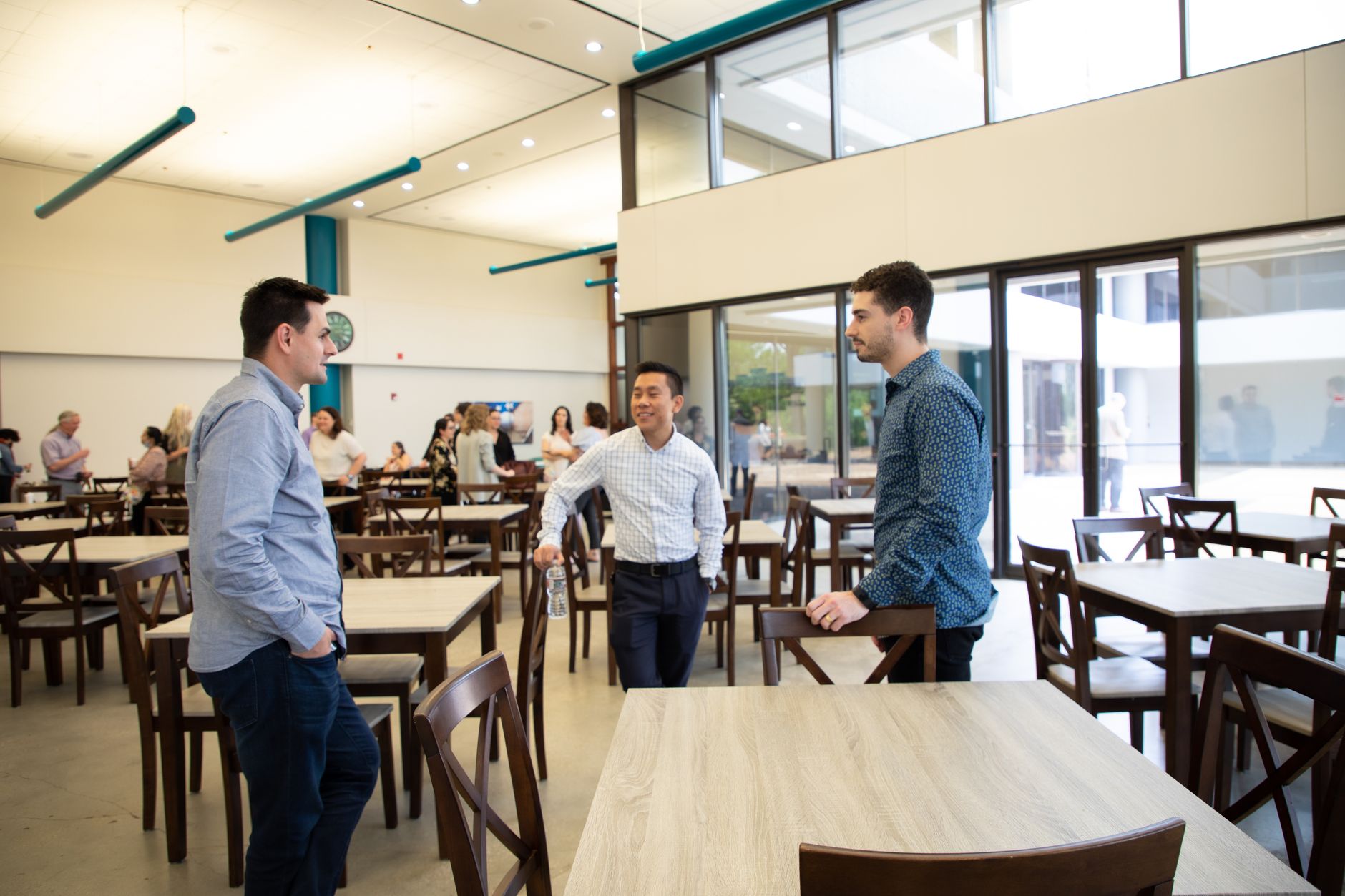
A cafeteria is not a break room. It fills in waves. Breakfast is a steady trickle of people grabbing coffee and standing in line. Lunch is a packed, noisy room for a short window, and by mid-afternoon the space is nearly empty. Some people sit for a full meal with colleagues; others are in and out with a tray. The screens have to work for all of them.
If your space is closer to a kitchenette with a few tables, the overview on commercial TV for corporate offices and break rooms is a better starting point. For screens out on the working floor, see keeping teams informed with a TV in an open office.
Corporate cafeteria TV setup: placing screens where people look
Start with what people are doing in each part of the room, not with the walls that happen to be free.
- Servery and queue lines. People stand, face forward and wait. A screen here gets short, repeated glances, which suits headlines, weather and scores.
- Seated dining. People face each other, not a wall. Screens need to be visible from most seats without anyone turning their chair. In a long room, several mid-size screens on different walls usually beat one large screen at the far end.
- Grab-and-go and checkout. A few seconds of attention at most. Weather and traffic are the right fit.
- Quiet corners. Some employees want a break from screens. Leaving one area without a TV is a reasonable design choice, not an oversight.
A few physical checks prevent most regrets:
- Glare. Cafeterias often have large windows. Look at each proposed spot at the brightest time of day, not during a late-afternoon site walk.
- Height and angle. Mount for people who are sitting. Screens set high enough for a sports bar make seated diners tilt their heads back through a whole meal.
- Menu boards. Keep TVs away from the servery menus so they do not compete for the same glance.
- Equipment location. Receivers belong somewhere secure that facilities and technicians can reach, ideally not inside the kitchen or a food-service storeroom that another team controls.
- Power and network. Confirm both at every mounting point before the walls are finished.
Captions, sound and a loud room
Hard floors, trays, chairs and conversation make a cafeteria one of the loudest rooms in an office building. TV audio rarely carries, and when it is turned up far enough to hear, it competes with every table. The sensible default is captions on and sound off in the seating areas.
That choice shapes everything else:
- Pick programming that reads without sound. News with headlines and tickers, weather maps, and sports with a visible score all work muted. Talk-heavy shows do not.
- Size screens for the caption, not the picture. The question is whether someone at the farthest table you intend to serve can read the caption text. If they cannot, add a screen closer to them rather than going bigger at the front.
- Expect some caption lag on live programming. Live captions trail the speaker. That is normal and one more reason to favor visual content at peak times.
- Captions help a wide group. Employees who are deaf or hard of hearing, people working in a second language and anyone sitting near the dish return all benefit.
If you want audio anywhere, confine it to one defined zone, such as a lounge corner with soft seating, and have facilities set and lock the volume.
Programming by daypart
The same channel from open to close is the most common cafeteria setup, and the least useful. A simple daypart plan fits how the room actually fills.
| Daypart | Who is in the room | What works | What to skip |
|---|---|---|---|
| Breakfast | Early arrivals, people in line for coffee | Local news, weather, traffic, business headlines | Long-form shows that need sound |
| Late morning | Few diners, kitchen staff prepping | Business news on one or two screens, others off | Running every screen to an empty room |
| Lunch peak | Full room, mixed tastes, short visits | Headlines, scores and sports highlights; live sports when a major event falls on a weekday | Content that divides the room or depends on audio |
| Afternoon lull | Stragglers, informal meetings | Weather and business news, or screens off | Anything that makes the space hard to meet in |
| Big days | Severe weather, a major tournament, a market-moving event | One screen on the event, the rest on the regular plan | Switching every screen and losing the room's balance |
Decide your news policy in advance
National news, especially opinion programming, can turn a shared lunch into a sore point. Many workplaces settle on local news, weather and business coverage for the main screens. Whatever you choose, write it down: a short channel plan that names what plays where and when. That one page is what stops remote control disputes, and it gives the front-line facilities team something to point to when someone asks for a change.
Sports at lunch
Sports highlights and scores are some of the easiest content to follow muted, which is why they suit the lunch peak. Live games are a different call. When a major event falls on a weekday afternoon, putting it on one screen in one zone lets fans watch without taking over the room. Programming lineups change, so ask a specialist what is available for your location rather than planning around a specific channel.
Trade-offs worth weighing
There is no single right answer for a large dining room. These are the choices that matter most.
| Choice | Upside | Downside |
|---|---|---|
| Same channel on every screen | Simple to manage, fewer receivers, one decision to make | No variety; one bad pick affects the whole room |
| Different channels by zone | News near the line, sports in one seating zone, quiet elsewhere | More equipment and a clear plan for who controls each zone |
| Fewer, larger screens | Fewer mounting points and less to maintain | Poor reach in long or L-shaped rooms; captions hard to read from the far side |
| More mid-size screens | Better coverage from seats | More installation work and more to keep in sync |
| Central control | Consistent schedule, no lost remotes | Someone has to own it, and requests route through them |
| Local remotes | Flexible for events and town halls | Channels drift, volume creeps up, remotes disappear |
If you settle on zones, the thinking in planning programming, sound and control by zone carries over well from venues to a large cafeteria. Settings that run around the clock, such as a hospital cafeteria with staff on every shift, show how much the daypart plan changes when the room never empties.
Common mistakes in employee dining rooms
- Mounting for standing viewers. Screens placed high for line-of-sight over a crowd force seated diners to look up for their whole meal.
- Leaving sound on by default. It adds to the noise, nobody hears it clearly, and it annoys the tables nearest the speakers.
- No owner. Without a named person in facilities or workplace services, channels drift, captions get switched off and a broken screen stays dark for weeks.
- One channel all day. Breakfast and lunch crowds want different things; a single setting serves neither well.
- Ignoring glare. A screen that looks fine at a morning walkthrough can be unreadable when the sun hits the windows at lunch.
- Forgetting events. If the cafeteria doubles as the space for all-hands meetings, plan a way to switch screens to a presentation feed or turn them off quickly.
- Using a consumer account. Programming set up for a home is not the right fit for a workplace; sort out commercial programming before the screens go up.
What to ask a provider
Bring these questions to any conversation about programming and installation:
- Which commercial programming option fits an employee-only dining room, and does that change if visitors or the public eat there?
- How many receivers do we need to show different content in each zone?
- Can the schedule be managed centrally so screens change by daypart without someone walking the room?
- How are captions set and kept on across every screen?
- Can we switch some or all screens to an internal presentation for meetings?
- Who installs, and who do we call when a screen goes dark during lunch?
- If we have several campuses, how would programming, installation and service be handled across all of them?
Sports Direct | DLM Media is an authorized commercial dealer headquartered in Phoenix, AZ, with 30+ years of expertise, and was one of the original six commercial DIRECTV dealers. Technicians and engineers work in all 50 states. Our programming, equipment, installation and support services cover the full setup, and you can talk with a programming specialist whenever you are ready to plan your space.