
On this page
Who This Is For and What You Will Decide
This is for the general manager, facilities lead or owner who has a remodel on the calendar and a room full of TVs, receivers and cable that the contractors will treat as obstacles. Restaurants refreshing a dining room, hotels renovating floor by floor and retailers resetting a sales floor all face the same question: how do you protect TVs during a renovation without spending a week afterward working out why half the screens show the wrong thing?
By the end you should be able to decide, screen by screen:
- Which equipment can stay on, which stays in place powered off, and which comes down
- What needs labeling and photographing before anyone touches a cable
- Who is responsible for taking equipment down, storing it and reinstalling it
- How to power everything back up in an order that makes problems easy to spot
- What to ask your TV provider before the first contractor shows up
If the remodel changes room layouts, moves walls or relocates your equipment closet, it is more than a protection problem. Our page on moving or remodeling with business TV service covers the account and installation side.
How to Protect TVs During Renovation: Unplug, Cover, Move or Leave
Construction dust is the main threat. Drywall sanding, tile cutting and demolition put very fine particles in the air, and that dust finds its way into vents, fans and connector ports. Receivers and TVs pull air through themselves to stay cool, so anything running in a dusty room is effectively breathing it in. Physical damage comes second: ladders, carts and drop cloths dragged across cables.
Use the type of work and its distance from each piece of equipment to choose one of four options.
| Option | When it fits | Trade-off |
|---|---|---|
| Leave running, uncovered | Work is in a separate, sealed area; no sanding or cutting nearby; the room stays open to guests | Lowest disruption, but you depend on contractors keeping their dust barriers intact |
| Leave in place, powered off and covered | Light work nearby, such as painting or fixture swaps, over a few days | Quick to restore, but covers trap heat if anyone switches equipment back on underneath |
| Take down and store on site | Wall work behind or beside the screen, heavy sanding, flooring or ceiling work in the room | Best protection, but needs a clean, secure storage spot and careful labeling to rehang correctly |
| Have a professional take down and reinstall | Full gut, new mounts or locations, or receivers moving to a new closet | Cleanest result and accountability for the rehang, but it needs scheduling ahead of the contractors |
A few rules of thumb sharpen the choice:
- Receivers are more vulnerable than screens. They sit in closets and racks that contractors use as staging space, and their small vents clog easily. When in doubt, power them down and protect them even if the TVs stay up.
- Anything on a wall being opened comes down. That includes the mount, if the wall behind it is changing.
- Partial closures need a sealed boundary. A restaurant keeping the bar open while the dining room is rebuilt should treat the bar's TVs as "leave running" only if the contractor puts up a real dust barrier, not a hanging tarp.
The Pre-Construction Checklist
Do this in the week before work starts, not the morning of. Most of the pain after a renovation comes from undocumented connections, not from damaged equipment.
- Inventory every screen and receiver. List each TV's location, its receiver, and what it normally shows. If you have not done this in a while, our business TV audit checklist is a good template.
- Photograph the back of every receiver and TV before anything is unplugged. Get the ports and the cable ends in the same frame. These photos will settle most arguments during reinstall.
- Label both ends of every cable. Use the same number on the cable, the receiver and the screen, such as "Bar 3". Masking tape and a marker work, but tape labels can fall off in a dusty, warm room, so wrap them fully or use cable tags.
- Record each TV's settings that matter to you: input, volume cap, any locked settings. A remodel is a common moment for a screen to come back on the wrong input. Our page on locking TV settings explains how to restore those limits.
- Bag and label the remotes. Put each remote in a sealed bag marked with its screen number, and store them together in the office.
- Power down in order. Turn off the TVs, then the receivers, then unplug from the surge protector or outlet. Leave the dish line connected at the wall unless the wall is being opened.
- Tell the contractor what is off-limits. Mark the equipment closet, the dish and any cable runs you need to keep, and put it in writing with the project lead.
- Flag roof work. If roofers, HVAC crews or sign installers are working near the dish, ask them not to touch, lean on or move it. A bumped dish can mean lost signal on every screen.
Covering Equipment That Stays in Place
Covering looks simple, and it is where well-meaning teams make the most trouble.
Cover only equipment that is powered off. A plastic sheet over a running receiver or TV holds heat in. The equipment may shut itself down, or simply run hot for days. If something must stay on, protect the room around it with dust barriers instead of wrapping the device.
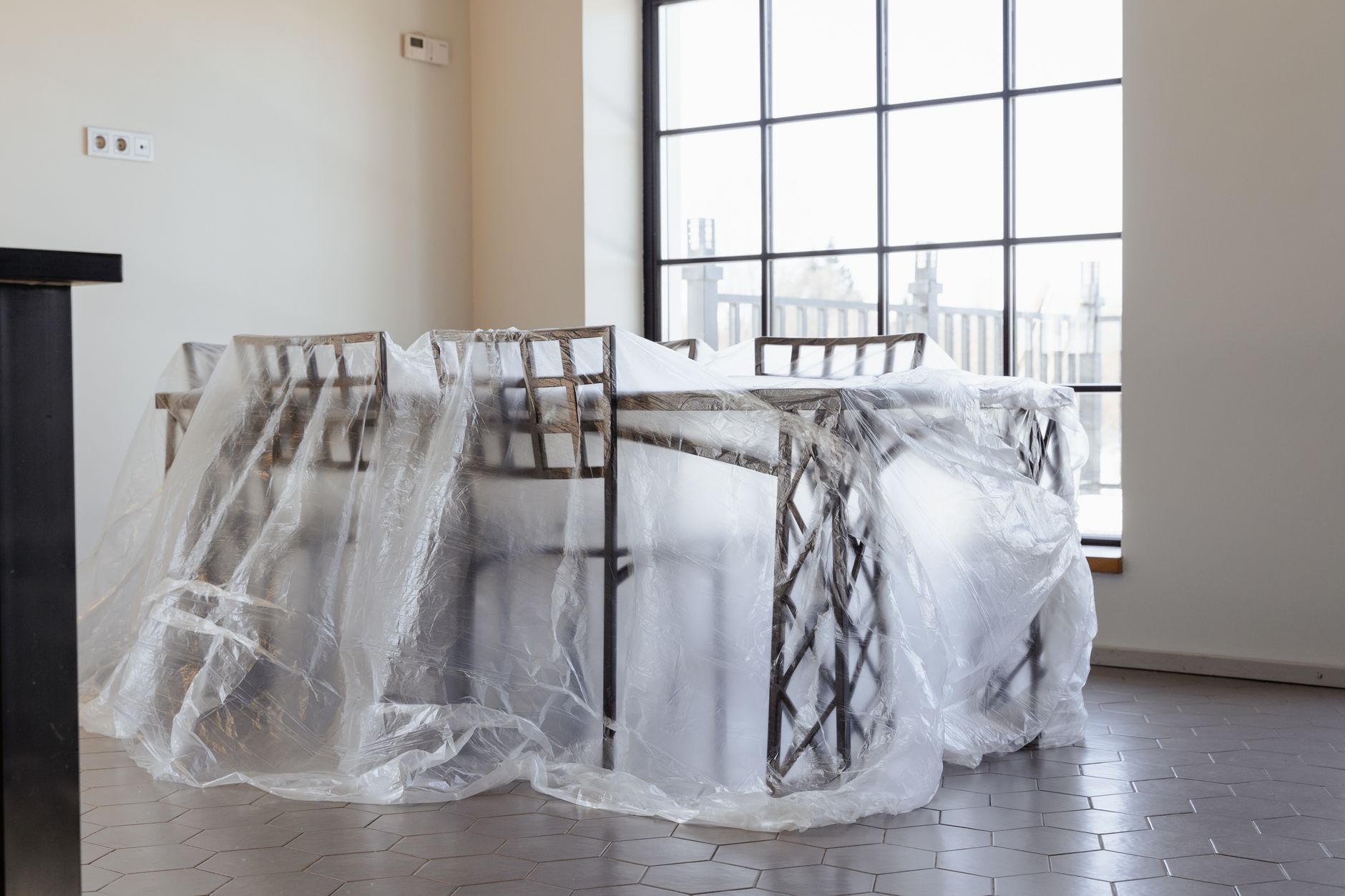
Seal, do not drape. A loose drop cloth lets dust settle underneath. Wrap screens in plastic sheeting and tape the seams on the back, away from the screen surface. For receivers in a closet or rack, close the closet if you can and seal the door gap; otherwise cover the rack and tape it closed at the floor.
Mind the tape. Never put tape directly on a screen surface. Adhesive residue is hard to remove, and scraping it off can scratch the panel.
Protect the closet itself. Your equipment closet is probably the most valuable few square feet in the building from a TV standpoint, and it is also the first place contractors look for storage. A sign on the door helps, a lock helps more. If the renovation is a chance to fix a cramped or hot closet, our TV equipment closet setup page covers ventilation and labeling.
Storing screens that come down. Keep them upright, in original boxes if you still have them, or padded and leaned against a wall in a locked room away from the work. Keep each TV's mount hardware bagged and taped to its back, labeled with the screen number.
Common Mistakes That Cost Days Afterward
- Powering up before final cleaning. The dust that matters most is the fine layer that settles after sanding stops. Turning everything back on while it is still in the air pulls it straight into the vents. Wait until the cleaning crew has finished.
- Unwrapping without wiping. Take the plastic off slowly and wipe the outside of each receiver and TV before switching it on, so dust on top does not fall into the vents.
- Letting the electrician rewire outlets without a heads-up. New circuits or relocated outlets can leave a receiver unplugged behind a TV nobody checks until opening night. If outlets are changing, it is also a good time to review surge protection for business TVs.
- Closing walls without planning for TVs. If walls are open anyway, that is the easiest and least disruptive moment in the life of the building to add conduit, recessed power or cable runs. Our page on wiring before drywall explains what to put in while you can.
- Rehanging screens in roughly the right place. Sightlines often change after a remodel: new booths, a moved host stand, different lighting. Check placement before you drill, using our TV mounting and placement advice.
- Assuming the network is untouched. Many receivers depend on an internet connection for some features. If IT gear or the router moved during the remodel, confirm the receivers are back on the network.
Bringing Everything Back Online Cleanly
Schedule the restart for a day or two before you reopen, not the morning of. You want time to fix the screen that does not come back.
- Reconnect using your photos and labels. Match each cable to its numbered port. Do not improvise.
- Power the receivers first and let them finish starting up and pick up signal. Then turn on the TVs.
- Walk every screen with the inventory in hand. Confirm it shows a picture, it is on the right channel and input, and the remote controls the correct receiver.
- Restore your settings: volume caps, locked buttons, any scheduled power-on times.
- Clean the screens properly. Construction dust is gritty, so use the method in our page on cleaning business TV screens safely rather than dry-wiping hard.
- Note anything odd and deal with it in one batch. If a single receiver misbehaves, a restart often clears it; see restart versus reset before trying anything drastic. If several screens show messages or no signal, the issue is more likely the dish, the cabling or the network than the individual boxes.
What to Ask Your Provider Before Work Starts
A short conversation with your TV provider before demolition can save the reinstall. Ask:
- Can you take down and reinstall equipment for us? For a full remodel, having technicians handle the receivers, dish connections and rehang keeps one party accountable for how it all comes back.
- Does our account need to change while we are closed? Options depend on your account and how long you will be dark, so confirm with a specialist rather than assuming.
- Will the roof or exterior work affect the dish? If the dish has to move, plan that as its own job.
- Should our receiver count or placement change? A new layout may mean more screens, fewer screens or different programming in each zone. Our page on adding TVs to your business covers that decision.
- Is this the right time to upgrade aging receivers? With everything already off, a swap can fit into downtime you are already taking.
- Who updates our equipment records? Make sure the inventory reflects any screens, receivers or locations that changed.
Sports Direct is an authorized commercial dealer with technicians and engineers in all 50 states, so a hotel renovating in phases or a restaurant group refreshing several locations can coordinate the work through one point of contact. You can see what that covers on our services page, or talk with a programming specialist about your renovation schedule.