
On this page
What banquet hall TV service has to handle
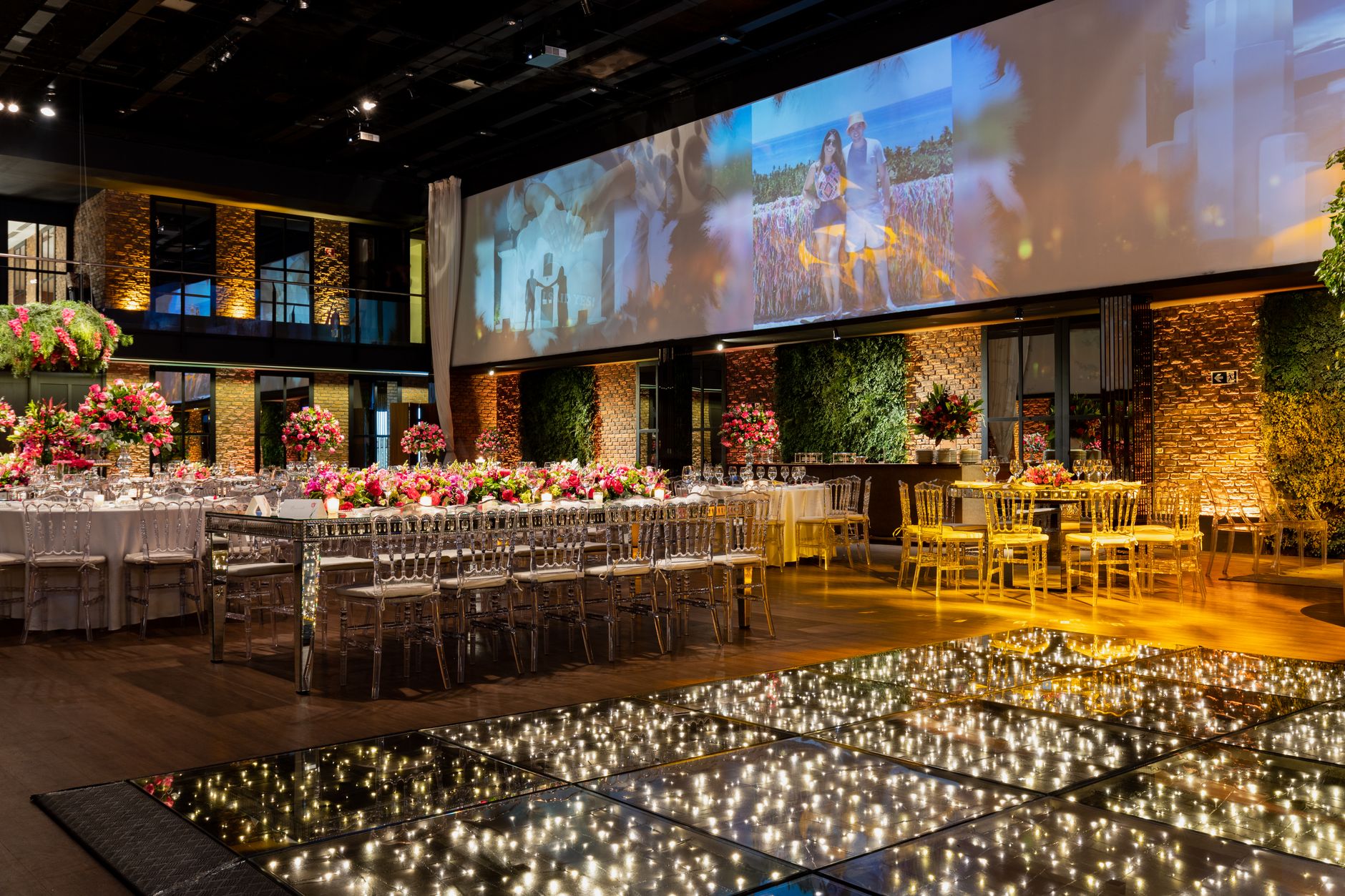
Most commercial TV setups are built for a room that does the same thing every night. An event venue does not. Saturday afternoon it is a wedding reception that wants nothing on the screens except perhaps a muted score by the bar. Monday morning it is a sales kickoff where the client wants business news in the foyer and the main ballroom dark. Thursday night two partitioned rooms host separate parties, and one of them booked specifically to watch a championship game. Good banquet hall TV service is designed around that variety: programming you can change room by room, equipment your staff can run without a manual, and a plan that matches how guests actually watch.
This fits banquet halls, conference and event centers, hotel ballrooms and meeting floors, club event spaces, wineries and breweries with private rooms, and multi-use entertainment venues that rent space for corporate and social events. If you run a member hall with a bar and dining room as well, our lodge and member hall setup guide covers that mix in more detail.
What a good event-venue setup looks like
Screens that follow your floor plan
If air walls split your ballroom into two or three sections, the TV layout should split with it. Each section gets its own receiver or its own controllable feed, so a corporate breakout can watch one thing while the room next door watches another. When the walls open, the whole space can run one channel together. Planning around your partitions up front avoids a common headache: one receiver driving screens in rooms now booked by different clients.
Changeovers measured in minutes
Turnovers are already tight. Tables reset, linens change, AV swaps. TV should not add to the list. What helps:
- Receivers and remotes labeled clearly by room and section
- A short set of saved favorite channels for typical event types, such as news, sports, music and a neutral background
- A simple way to darken a room's screens for ceremonies, speeches or presentations
- One person on each shift who knows how to reset a receiver
Programming that matches the booking
Corporate clients tend to ask for news, financial and weather programming in foyers and pre-function areas. Social events lean toward live sports, music or nothing at all. A ticketed watch party is different again. Your package should cover the range you actually book rather than every possible channel. For cocktail hours and lobbies where video would compete with conversation, a commercial background music service is often the better fit.
How viewing type shapes the plan
Commercial TV is generally organized by how screens are viewed: public, business or private viewing. A pre-function lobby open to anyone walking through is not the same as a closed private room, and an event where guests buy a ticket to watch a game can raise separate questions. Event venues often have more than one of these situations under the same roof, sometimes on the same night.
That is why we do not hand venues a single off-the-shelf plan. We map each space to how it is used, then recommend programming accordingly. Which plan applies to a specific event format, especially anything ticketed or open to the public, depends on the details, so confirm it with a programming specialist before you promote the event. Our commercial TV licensing overview explains the basics. It is also why a home subscription brought in by a client or staff member is not a workaround; see why businesses cannot use home TV plans.
How we work with event venues
Sports Direct | DLM Media has 30+ years of expertise as an authorized commercial dealer and is one of the Original 6 Commercial DIRECTV dealers. Projects are coordinated from Phoenix, AZ, with technicians and engineers in all 50 states, so you have one point of contact whether you run one hall or a portfolio of venues.
- Assess the space. We review floor plans, partitions, existing screens, wiring paths and your event calendar. We ask what you book most, what clients request and where TV has caused friction before.
- Design by viewing type. Each room and zone is matched to the right viewing type and programming, with receivers placed so sections can run independently or together.
- Install. Technicians install and configure the equipment, label everything by room and set up channel favorites that suit your typical events. Install timing is scheduled around your bookings, not the other way around.
- Train and support. Your banquet and AV staff get a short walkthrough on running the system during a turnover. After that, you have one team to call when something needs attention and one place to make changes when your event mix shifts.
See our full programming, equipment, installation and support services for what is included.
Planning for event-day signal
Few things shake a client's confidence faster than a frozen screen minutes before kickoff at a watch party they paid for. No provider can promise uninterrupted signal, but you can lower the odds of trouble and shorten recovery when it happens.
- Test before doors open. Turn on every screen in use and check the channels the client requested, well ahead of guest arrival.
- Know the weak points. Heavy weather, a dish knocked out of alignment or a congested network for internet-connected receivers are common culprits. Our guide to how commercial TV signal reliability works explains delivery options and where redundancy helps.
- Keep a reset routine. Many on-screen errors clear with a receiver restart. Post the steps in the AV closet, and use our error code help when a message appears.
- Have a fallback for big bookings. Decide in advance which screens get priority if a receiver goes down mid-event.
What to decide before you call
| Question | Why it matters |
|---|---|
| How many rooms and partitioned sections do you rent? | Sets how many independent feeds you need |
| What events do you book most? | Shapes the programming package |
| Do you host ticketed or public watch parties? | Can change which viewing type applies |
| Who runs the screens on event days? | Drives labeling, presets and training |
| Do clients bring their own AV? | Affects where TV and presentation inputs need to coexist |
| Are you adding venues? | Consistent setups make multi-site management easier |
If you operate several venues, the multi-location programming playbook is worth reading before you standardize. When you are ready, request a custom quote and a specialist will start with your floor plan and calendar.